





TSplus - Secure Remote Access & Application Delivery
Access your desktops and Windows applications from anywhere using a simple, secure, and cost-effective platform.
The TSplus Product Suite
Everything you need to deliver secure remote access, protect users, support teams, and monitor servers.
Remote Access
The best value-for-money Citrix alternative. Web-enable any Windows application and access from any device via HTML5 browser.
Remote Desktop
App Delivery
HTML5 Portal
Remote Printing
Advanced Security
Comprehensive cybersecurity for Windows servers. Block 368M+ malicious IPs with 7 layers of protection.
Ransomware Defense
Brute Force Block
Geo Blocking
Working Hours
Remote Support
Cloud-based remote assistance with true 4K screen sharing. Perfect TeamViewer alternative for IT support
Attended Access
Unattended Access
4K Screen Share
Session Recording
Server Monitoring
Real-time monitoring and reporting for your remote desktop servers. Track health and performance metrics.
Real-time Reports
Instant Alerts
Performance
Easy Dashboard
Why TSplus Is the Smarter Alternative
TSplus brings remote access, security, support, and monitoring together in a simple, affordable software suite designed to replace complex and costly alternatives.
Cost-Effective by Design
Deliver enterprise remote access and security without expensive subscriptions or vendor lock-in.

Simple Deployment and Management
Install, configure, and publish applications in minutes using intuitive tools.
Secure Access Without Complexity
Protect servers and remote connections with built-in encryption and optional advanced security layers.
Work from Any Device, Anywhere
Enable browser-based and client-based access to desktops, applications, and support sessions.

Built to Scale with Your Environment
Start small and grow confidently with multi-user support, server farms, monitoring, and alerts.
What is TSplus Remote Access?
A cost-effective Citrix alternative for delivering Windows desktops and applications with perpetual licensing and rapid deployment.
Comprehensive Remote Desktop Access
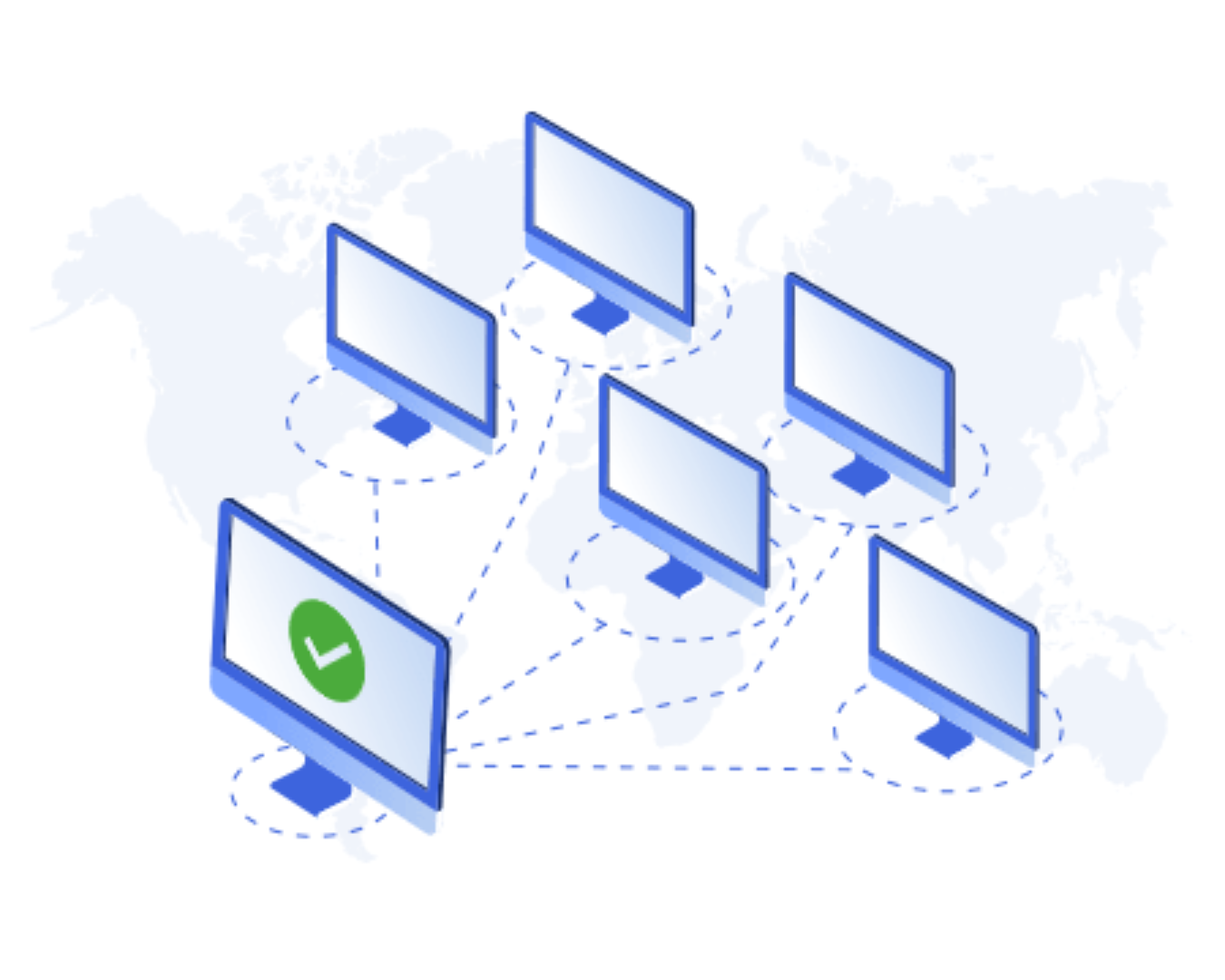
A reliable and scalable way to web-enable Windows applications hosted on-premises or in the cloud. Users gain instant, intuitive and seamless access to Windows-based applications and desktops from any browser on any device, including PCs, Macs, smartphones and tablets.

How Applications Are Delivered Securely
Applications remain centralized on secure servers and are published using RDP and HTML5. This enables concurrent user sessions that can be accessed remotely and securely from any device or browser, without data leaving the server.
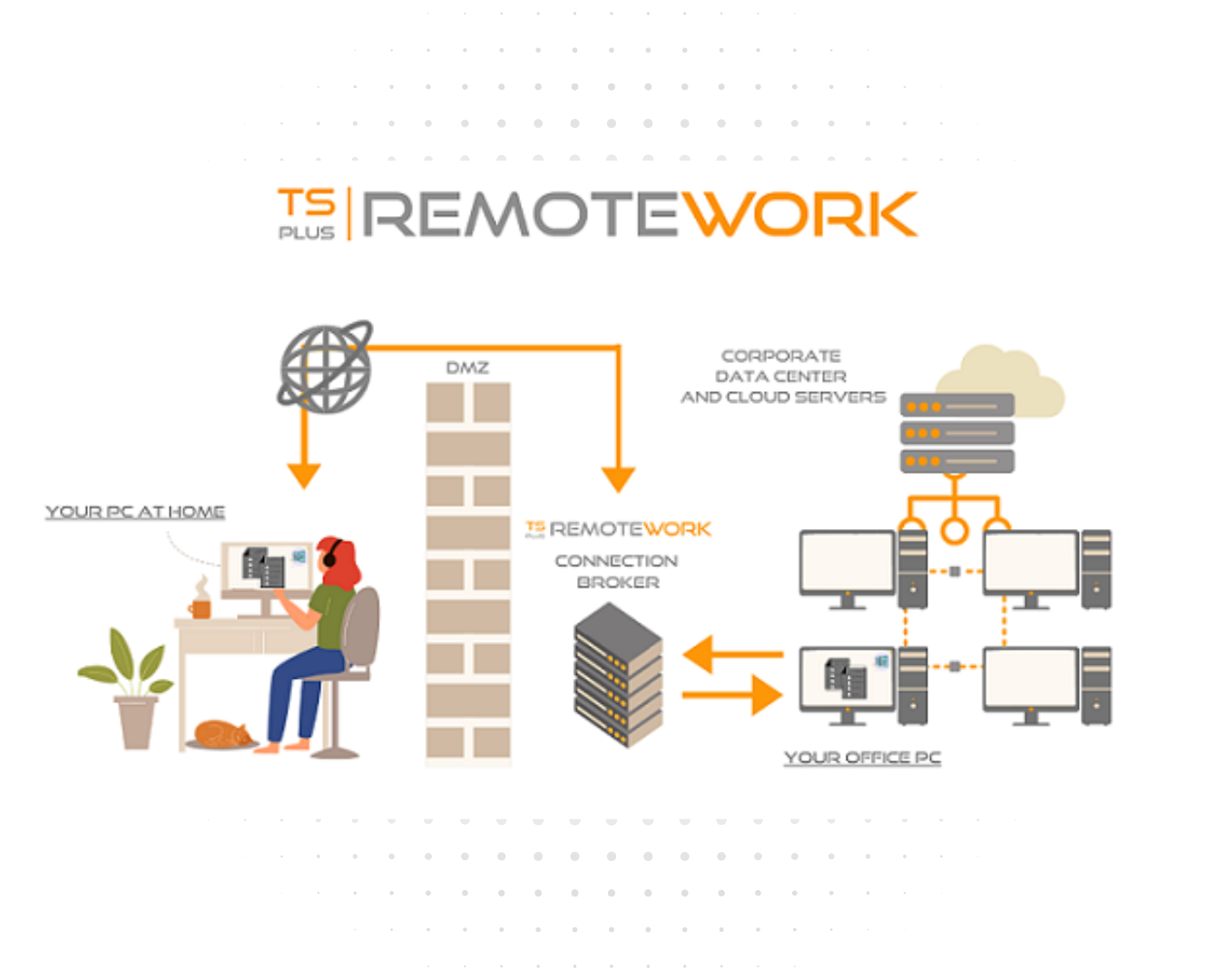
Why TSplus Remote Access Is an Ideal Alternative to Citrix and RDS
Enterprise-grade remote access without the cost and complexity of traditional solutions.
Remote Desktop and Application Access
Let users access Windows desktops and applications from anywhere, on any device.
SaaS and Legacy Application Enablement
Web-enable applications to offer them as SaaS or extend legacy systems without redevelopment.
Simple and Fast Deployment
Install and publish applications in under 30 minutes without complex infrastructure.
Lower IT Costs with Lifetime Licensing
Reduce costs by avoiding expensive alternatives and subscriptions with buy-once licensing.
Secure Remote Access
Protect connections with encrypted access and optional two-factor and advanced security.
Scalable and Easy to Manage
Start with a few users and scale to hundreds using a centralized, user-friendly interface.
What is TSplus Advanced Security?
A comprehensive cybersecurity solution designed to protect Windows application servers and remote desktop environments from unauthorized access, attacks and malicious activity.
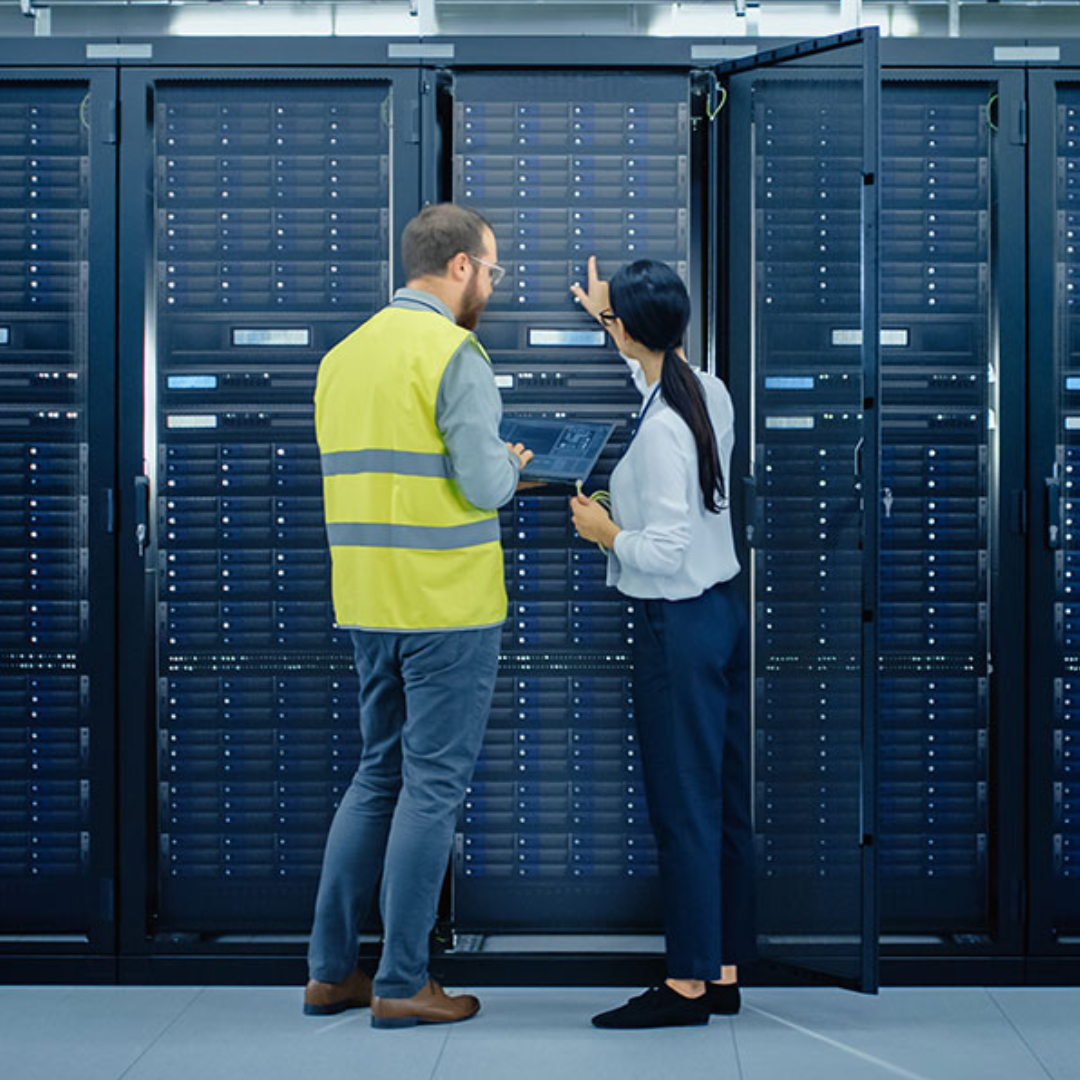
Comprehensive Server and Access Protection
Provides layered protection for servers exposed to remote connections. It actively defends against brute-force attacks, ransomware, unauthorized login attempts and suspicious behavior, helping keep systems secure while remaining accessible to legitimate users. Users gain instant, intuitive and seamless access to Windows-based applications and desktops from any browser on any device, including PCs, Macs, smartphones and tablets.
How Security Is Applied and Controlled
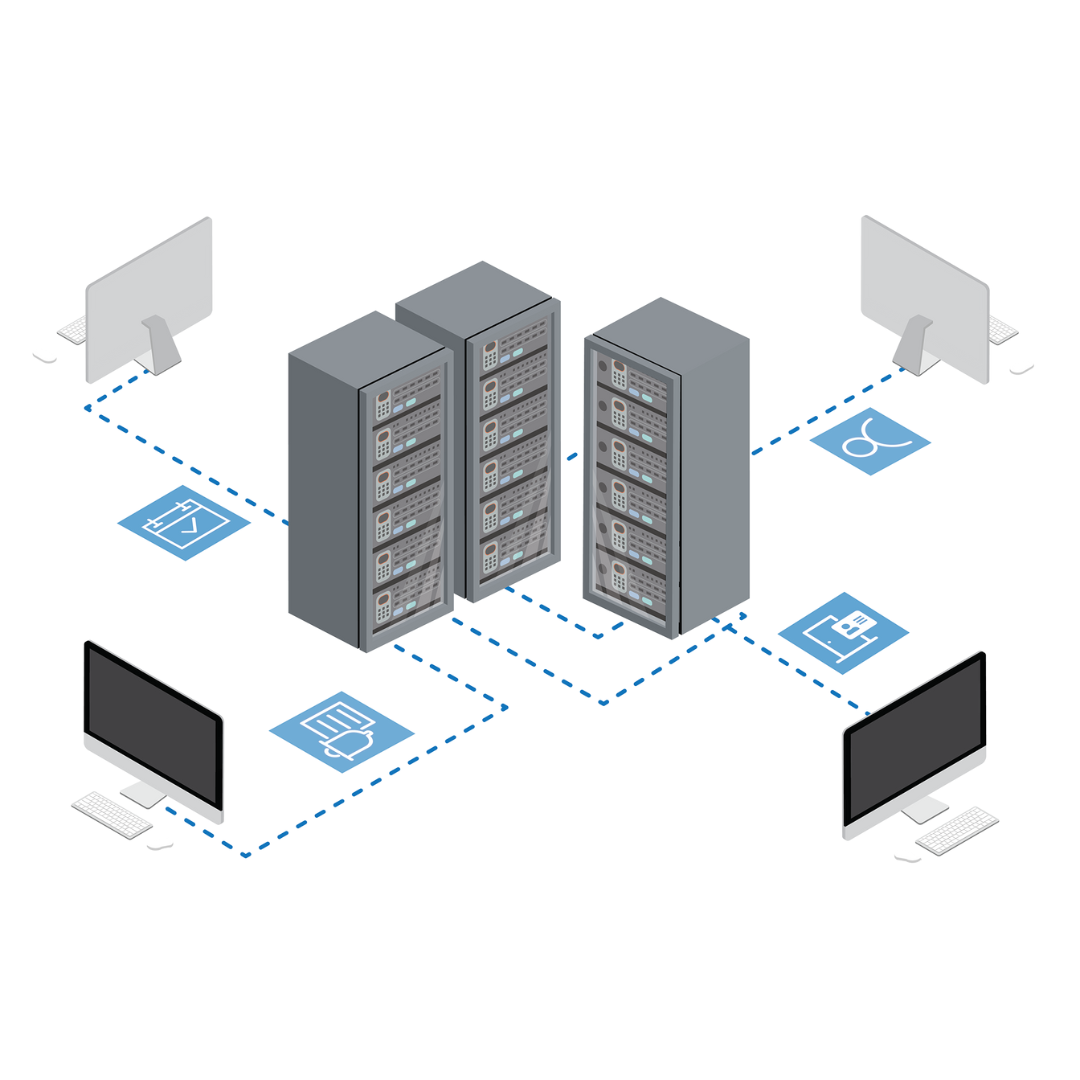
Security rules are enforced in real time based on users, devices, locations, and working hours.
Administrators can restrict access by country, define allowed connection times, block malicious IPs, monitor threats, and automatically respond to suspicious activity without manual intervention.
What Is TSplus Remote Support?
A secure remote assistance solution that enables IT teams to connect to, support, and control remote computers in real time.

Instant Remote Assistance and Control
Allows support agents to view and control remote screens to troubleshoot issues, perform maintenance, and assist users efficiently. Sessions can be attended or unattended and support full remote control, file transfer, chat, and multi-monitor environments, helping resolve issues faster without being on site.
How Remote Support Sessions Are Established
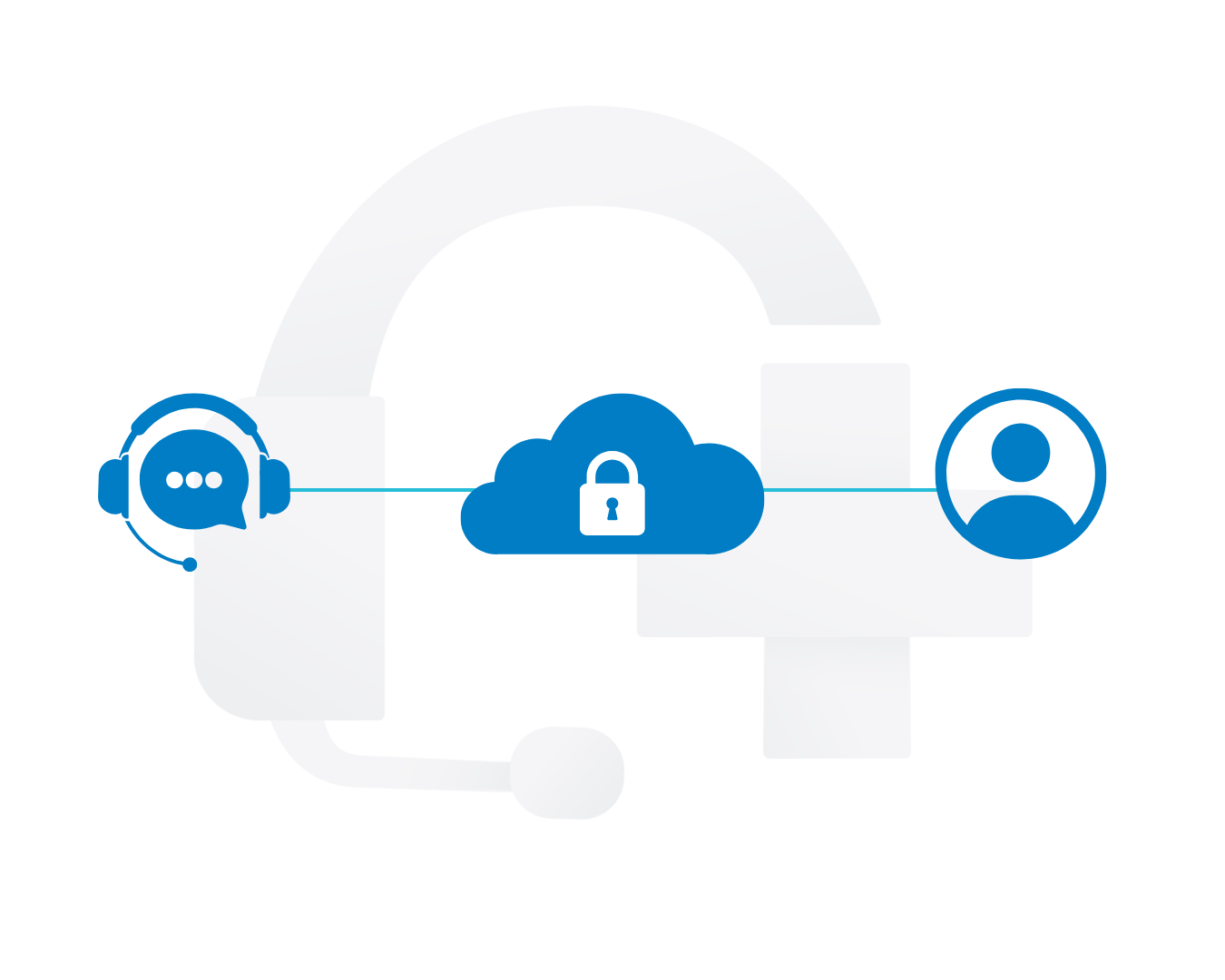
Connections are initiated securely using session IDs, passwords, or pre-authorized access. Remote sessions are encrypted, easy to start, and can be shared between multiple technicians, allowing teams to collaborate while maintaining full visibility and control throughout the support process.
What Is TSplus Server Monitoring?
A server monitoring and reporting solution that gives IT teams real-time visibility into system health, performance, and availability.
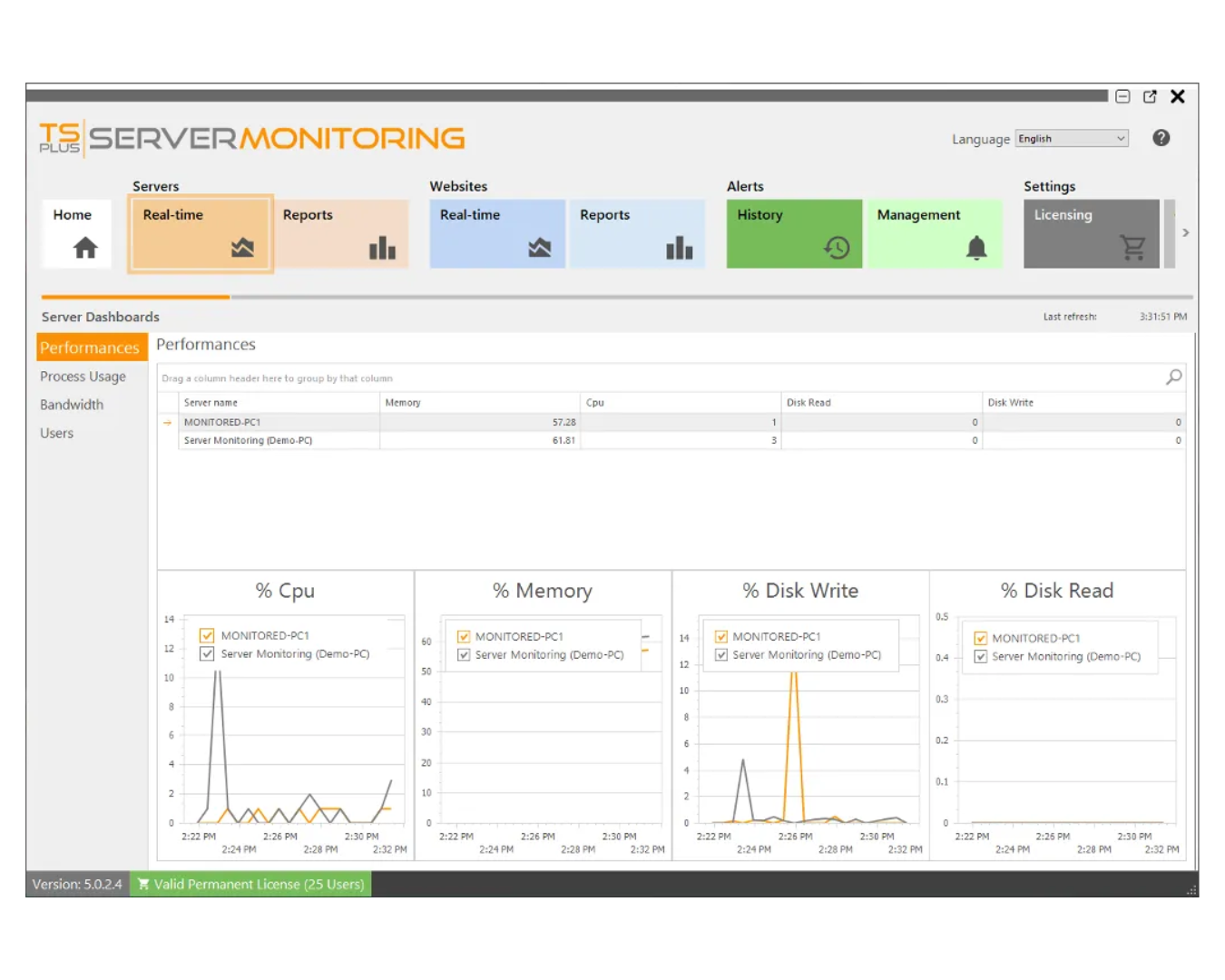
Real-Time Server and Performance Monitoring
"Continuously tracks key system metrics such as CPU usage, memory, disk activity, network performance, and active users. This helps administrators quickly identify performance issues, resource bottlenecks, and abnormal behavior before they impact users or services."
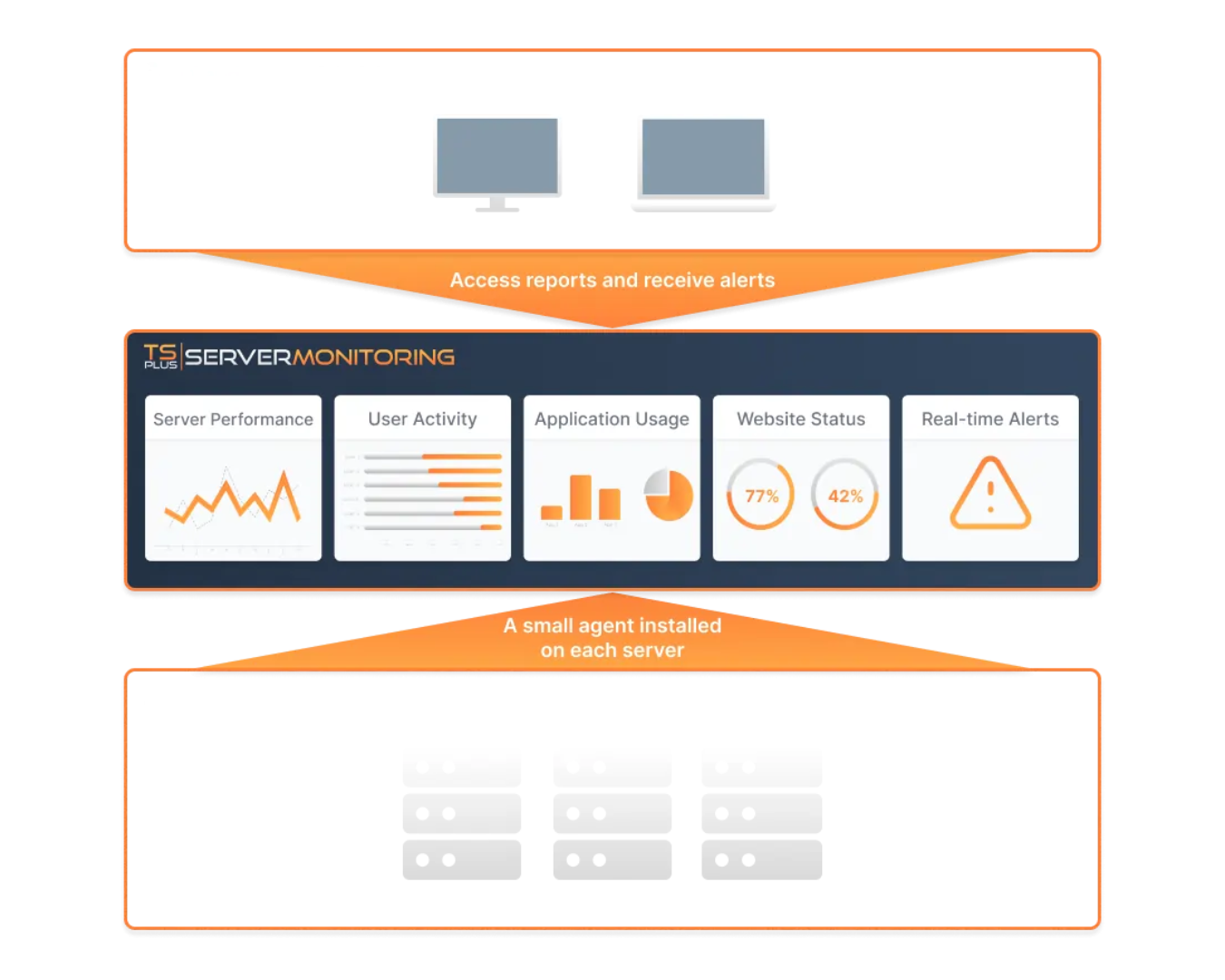
How Monitoring and Alerts Are Managed
Monitoring data is collected in real time and stored for historical analysis and reporting.Administrators can define thresholds, receive alerts when issues occur, monitor website availability, and generate reports to analyze trends, usage, and system reliability over time.
How FSD-Tech Deploys TSplus - From Setup to Scale
Environment Assessment
Review your servers, users, applications, and remote access requirements to define the right setup.
Solution Design & Planning
Design the TSplus architecture, user roles, access methods, and security policies.
Pilot Deployment
Install TSplus and publish selected applications for a controlled user group to validate performance.
Security Configuration
Apply encryption, access controls, IP rules, and advanced security protections.
Full Rollout
Extend access to all users and locations with role-based desktops and applications.
Ongoing Optimization
Monitor performance, usage, and security events to continuously improve reliability.
Secure Your AI Future
Ensure Trust, Safety and Compliance in AI Systems
STILL NOT SURE?
Frequently Asked Questions
What is TSplus Remote Access?
TSplus Remote Access is a secure solution for delivering Windows desktops and applications to users on any device via HTML5 or native clients.
How quickly can TSplus be deployed?
Users can have TSplus installed, configured, and serving remote desktops in under 30 minutes, even for mid-sized deployments.
Is TSplus Remote Access secure?
Yes - TSplus uses industry-standard TLS encryption, and you can add Advanced Security for brute-force protection, IP filtering, and ransomware defenses.
Does TSplus work in a browser without installing software?
Yes. TSplus supports HTML5 browser access, so users can connect from desktops, laptops, and mobile devices without any client installation.
What devices and operating systems are supported?
TSplus supports Windows servers for hosting and offers access from Windows, macOS, Linux, and mobile devices via browser or native clients.
What is TSplus Advanced Security?
TSplus Advanced Security is a dedicated cybersecurity suite that protects remote desktop servers with layered defenses like brute-force blocking, IP blacklisting, and ransomware protection.
Can TSplus Advanced Security be customized per user or device?
Yes. Administrators can define access rules based on user, location, device, and working hours to tailor security policies precisely.
What is TSplus Remote Support?
TSplus Remote Support enables IT teams to provide attended and unattended remote assistance, including screen sharing, multi-monitor support, and file transfer.
Can TSplus Remote Support be used for remote IT maintenance?
Yes. With unattended access and Wake-on-LAN capability, support teams can maintain systems even when users aren’t actively connected.
What is TSplus Server Monitoring?
TSplus Server Monitoring provides real-time performance tracking, alerts, and historical reports for servers, websites, applications, and user sessions.
Can TSplus Server Monitoring send alert notifications?
Yes. Administrators can define thresholds and receive email alerts when performance metrics or website availability cross set limits.
Are TSplus licenses perpetual or subscription based?
TSplus Remote Access and Server Monitoring offer perpetual licenses that never expire if purchased; subscription options are also available.
Is there a trial available for TSplus products?
Yes. TSplus offers free trials for its software, allowing you to evaluate features and performance before buying.
How does TSplus compare to Citrix or Microsoft RDS?
TSplus is cited as a simpler, faster, and more affordable alternative to Citrix or RDS with easier deployment and lower total costs.
Can TSplus be used by MSPs or VARs for customer deployments?
Absolutely. TSplus supports partner programs, allowing MSPs and other resellers to deploy and manage solutions for their clients.